 Kudret Keskin
Small Business Apps / Build guide
Accounting
Ledgerfor Accountants
See who owes you money. Record a payment and follow it from the invoice to the journal.
 Buy on Gumroad · $19
 Made with Claude
Build in Claude. Desktop installation is optional on Mac and Windows (beta). See how it works
20-page PDF · 10 guided steps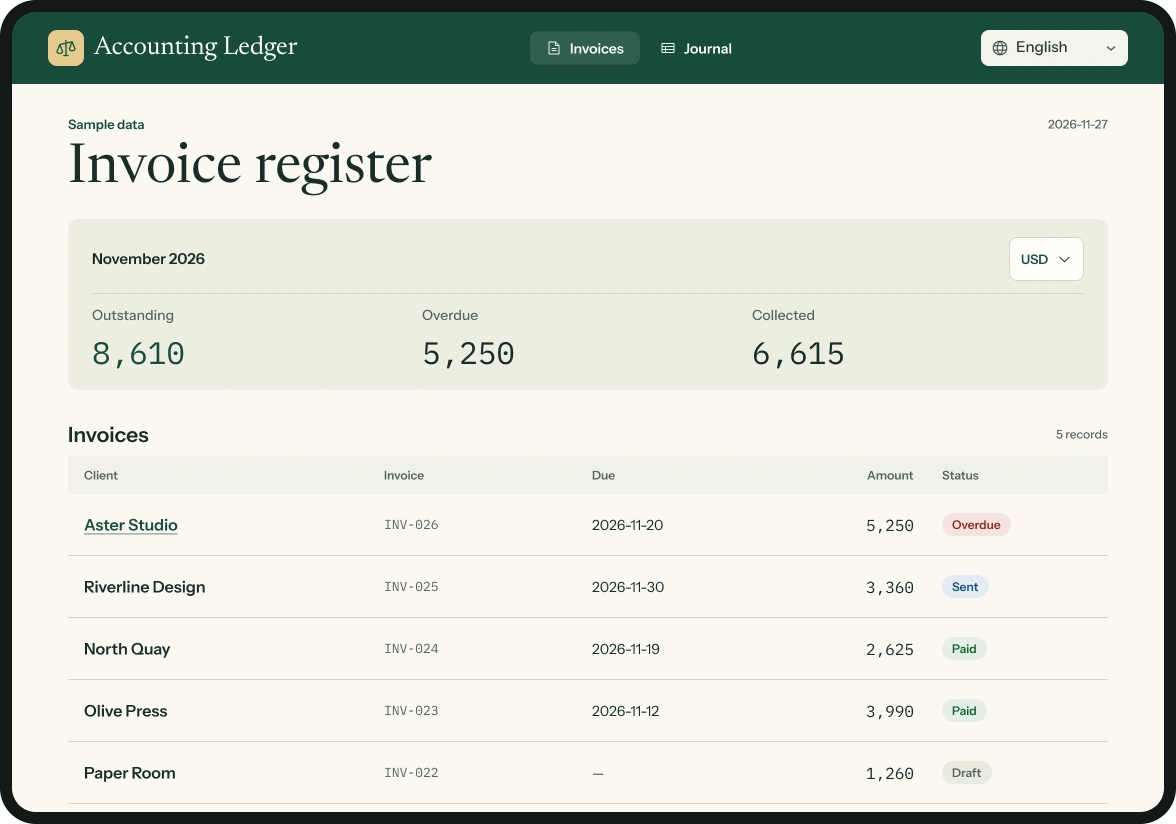
How it works
Just upload the
PDF to Claude.
Drop the PDF into Claude, then follow the guide one prompt at a time. No code needed.
- Get the PDF
- Drop it into Claude
- Follow the guide

Aster Studio’s
payment.
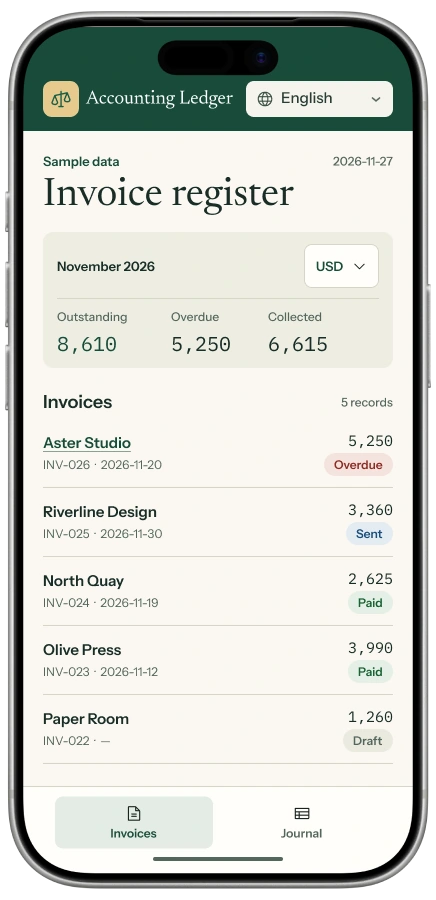
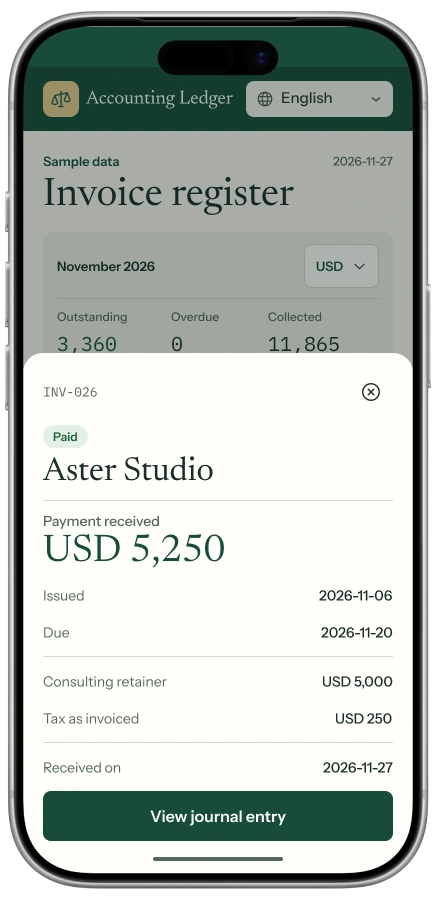
Record USD 5,250, then open the receipt to see the journal entry.
Try the payment flow by Kudret Keskin

The journal
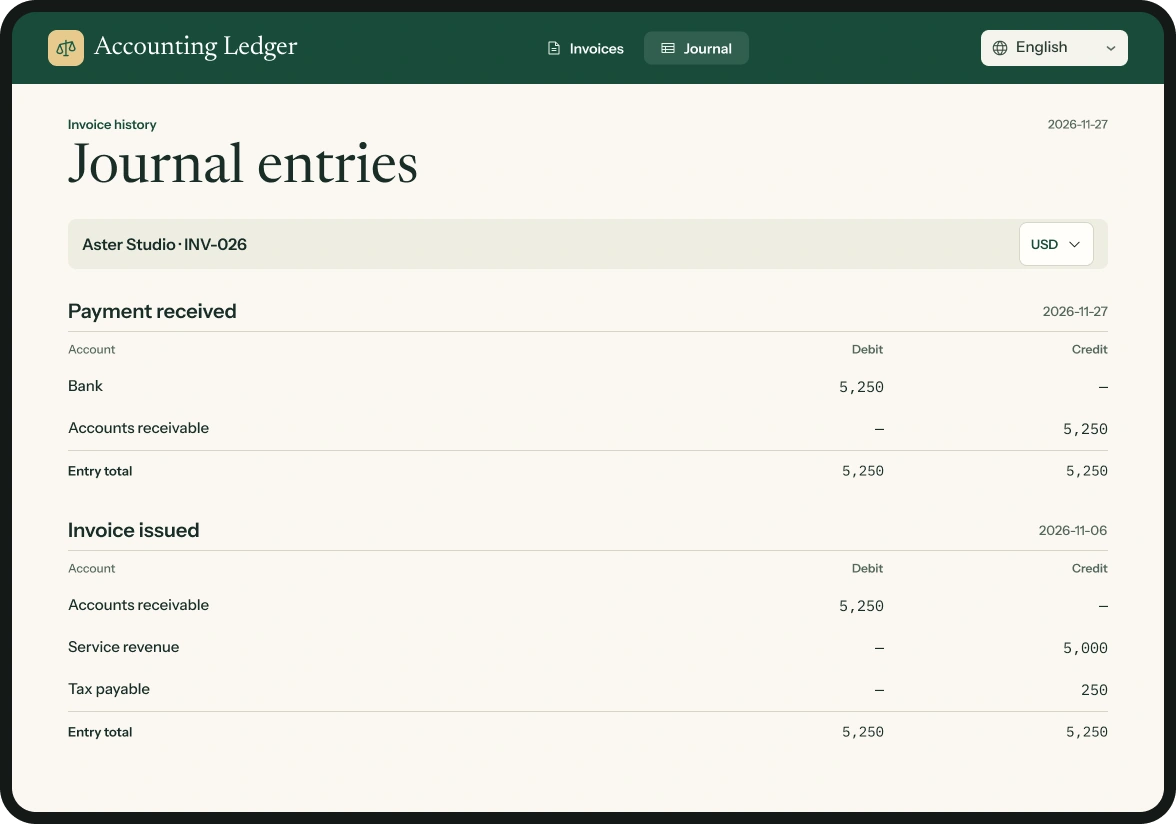
One invoice, two entries.
The invoice on 6 November records what Aster owes. The receipt on 27 November debits Bank and credits Accounts receivable by the same USD 5,250.
Language & currency
Your language. The invoice’s currency.
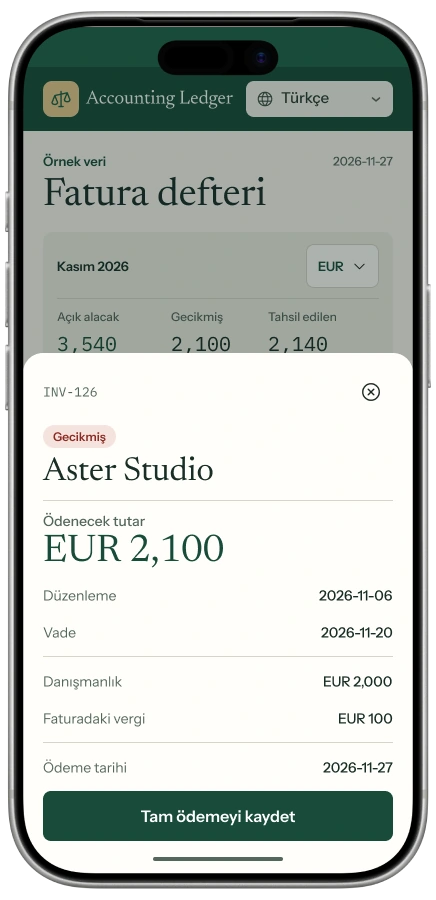
Switch the interface between eight languages. Choose USD, EUR or GBP separately to see invoices and totals in that currency.
 English
 Español
 Français
 Italiano
 Norsk bokmål
 Svenska
 Nederlands
 Türkçe
In the Turkish example, INV-126 still shows EUR 2,100 for Aster Studio.

Before you post
Start with the receipt.
Check the amount, currency and date against your bank record. Confirm the payment in the ledger once the money has arrived.
Inside the guide
Build your invoice book in ten steps.
Each step includes a prompt, a check and a fix you can paste into the same Claude conversation.
- Define the invoice book
- Build and reopen the register
- Seed the November example
- Separate the currencies
- Issue a balanced entry
- Record Aster’s payment
- Trace the receipt
- Add the eight languages
- Fit the register to the screen
- Back up and start your own book
Where your invoice register runs
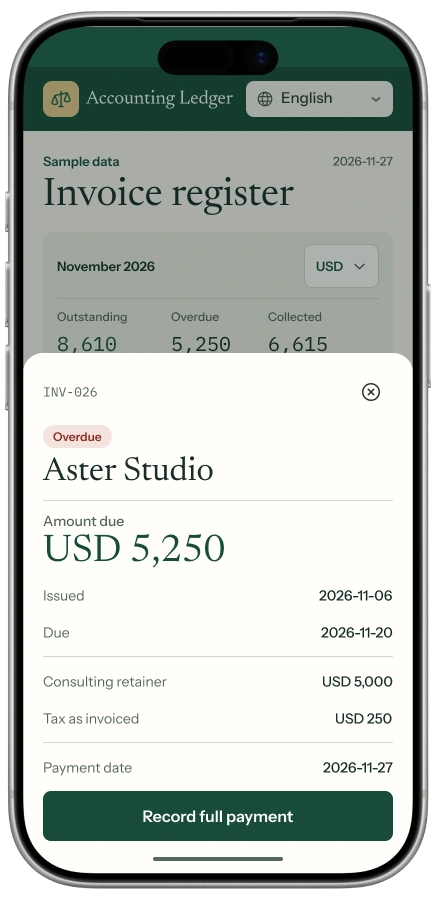
The PDF guides you through building a responsive invoice register in Claude. It includes tablet and iPhone layouts. It doesn’t create a standalone mobile app.
 Read Claude’s desktop app overview
- On your phone
- Open and edit the artifact inside the Claude mobile app. “Add to Home Screen” creates a browser shortcut.
- On your computer
- Build on the web or in Claude Desktop. On Mac and Windows, you can also install the invoice register in its own window. Desktop installation is unavailable on Linux, the web and mobile.
- What you need
- The desktop install beta is available on all plans, including Free. To open the installed app, stay online and signed in to Claude Desktop. Your plan’s usage limits apply.
- Saving records
- Keeping records between sessions requires a paid Claude plan on web or desktop. On Free, use sample data. Test storage with a sample record before entering real details.
- Team and Enterprise
- Desktop installation is enabled by default on Team. An Enterprise owner needs to enable it in organization settings.
Questions
Frequently asked questions
 Does the payment button move money?
It records a full payment you have already received. Check the receipt in your bank account before you confirm.
 How are different currencies handled?
USD, EUR and GBP each have their own list and totals. Changing the interface language keeps the currency and invoice amounts you selected.
 What should I check before adding client invoices?
Personal storage requires a paid Claude plan on the web or Claude Desktop. Save a fictional invoice, close the ledger and reopen it. Back up the sample book and test restoring it before you enter client details.
Guide preview / Step 06
Read the payment prompt.
Open the sample page for Aster Studio. It includes the build prompt, the expected totals and a fix for duplicate receipts.



Keep going
Where I write about this
X
@kudretocom
x.com/kudretocomLinkedIn
Kudret Keskin
www.linkedin.com/in/kudretkeskinUnstuck SaaS
Newsletter on Substack
unstucksaas.substack.comFirmam.ai
The product I am building
firmam.ai