 Kudret Keskin

Needs attention first
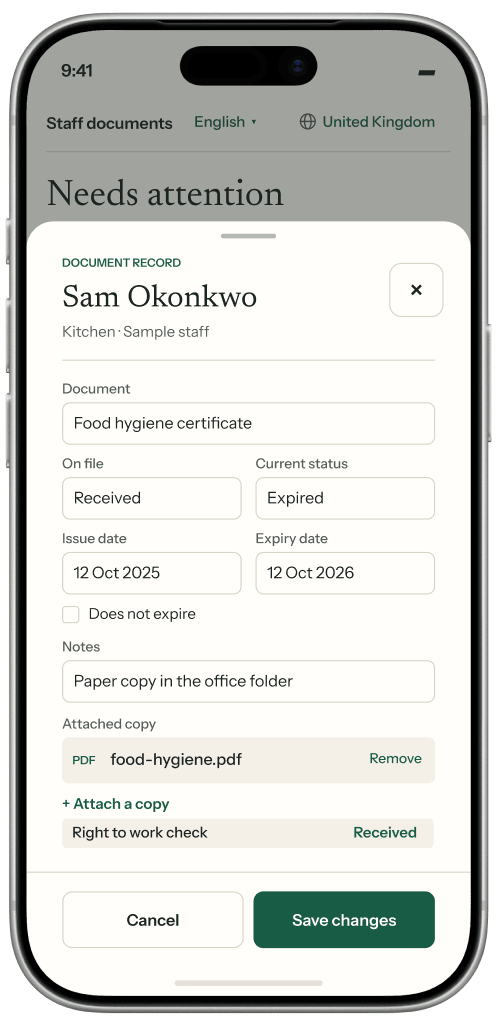
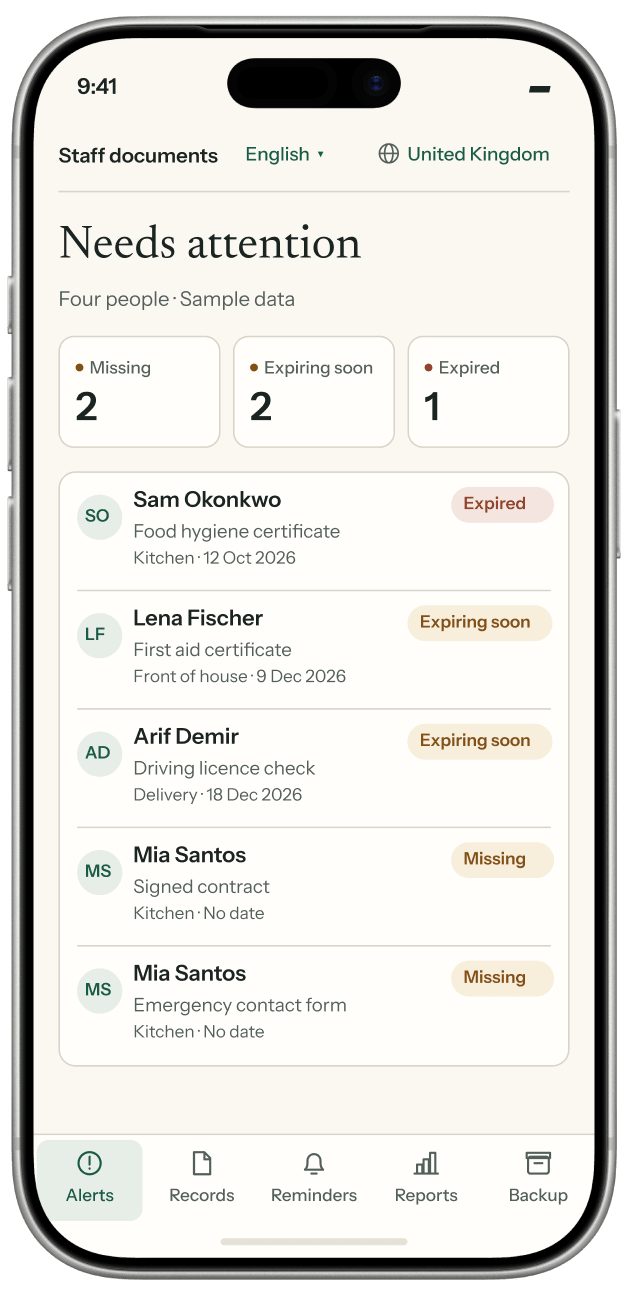
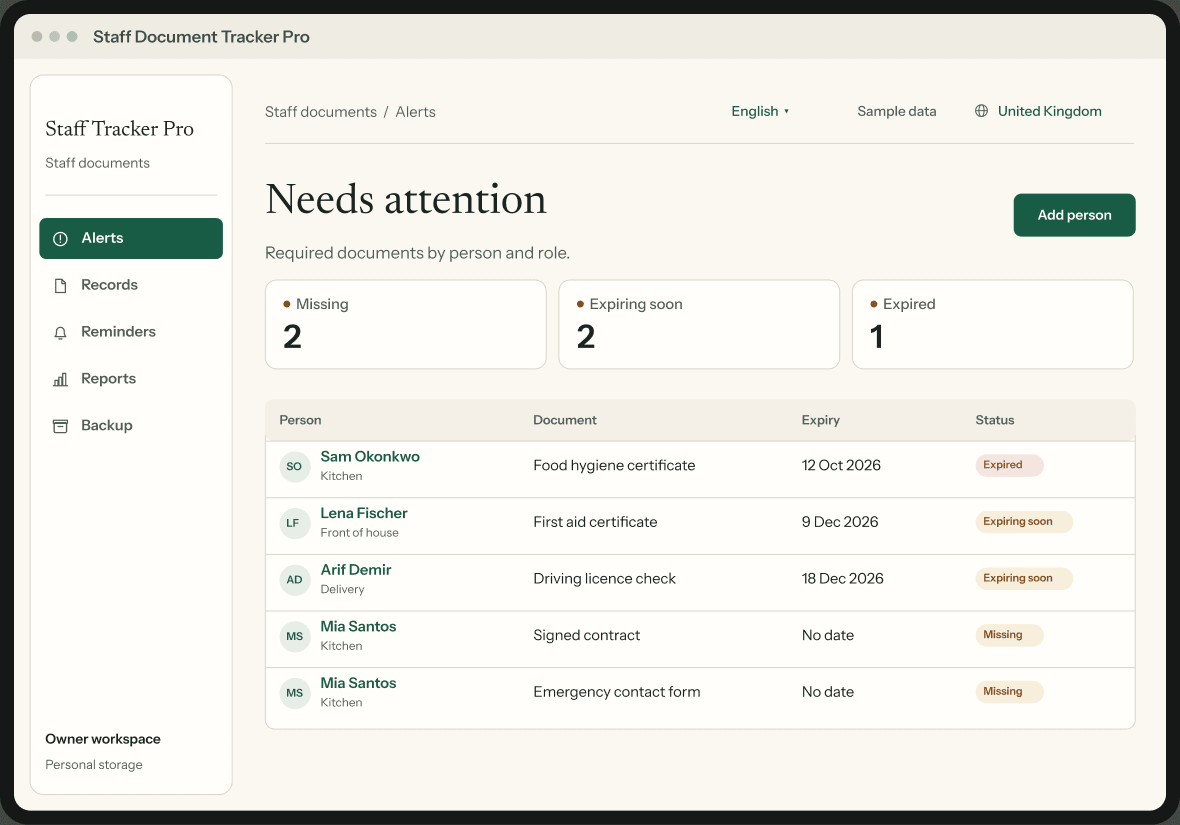
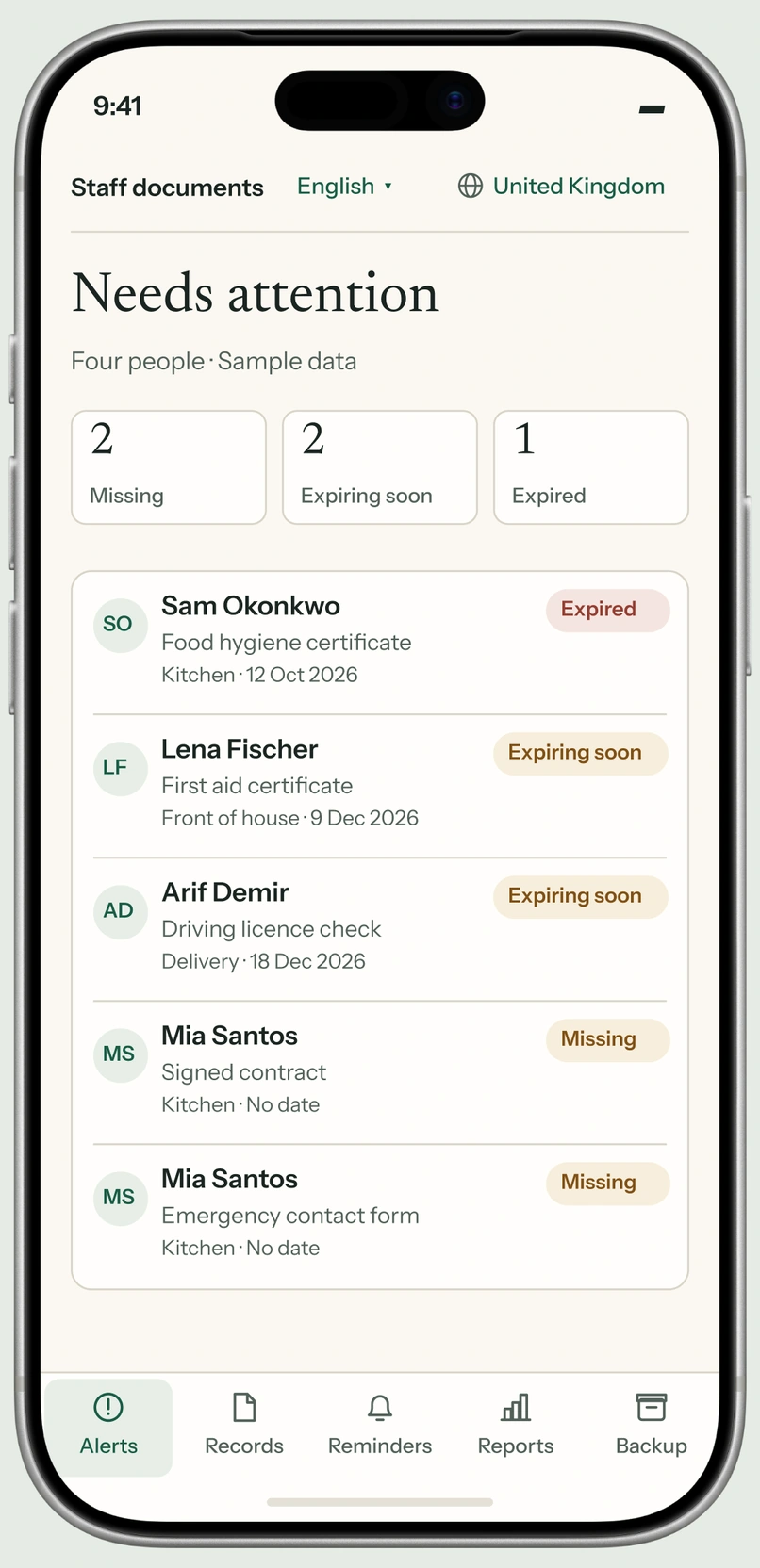
Expired, expiring soon, and missing documents sit at the top, so you see what to chase today.
See missing and expiring staff documents on one screen
 Buy on Gumroad · $29
 Made with Claude

How it works
Drop the PDF into Claude, then follow the guide one prompt at a time. No code needed.

What you build
For each person: which documents you need, what you have, what is missing, and what is about to expire.
Expired, expiring soon, and missing documents sit at the top, so you see what to chase today.

An in-app reminders list, an optional daily notification on your computer if you install the board as an app, and a monthly summary you can download.

You track whether a document is on file and when it expires. No ID scans and no ID numbers on the board.
The document board
Expired, expiring soon, and missing documents sit at the top, so you know what to chase.Certificates, contracts, and checks sit in a single list, with the ones that need you today at the top.

Reminders
If you install the board as an app and allow notifications, a daily reminder can appear on your computer. The in-app list still works if you do not.

1 expired, 2 expiring soon, 2 missing. Open the board to see who.
Keep the tracker next to the tools you already use. Use the latest Claude Desktop app.
PDF export
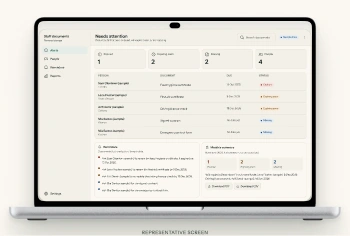
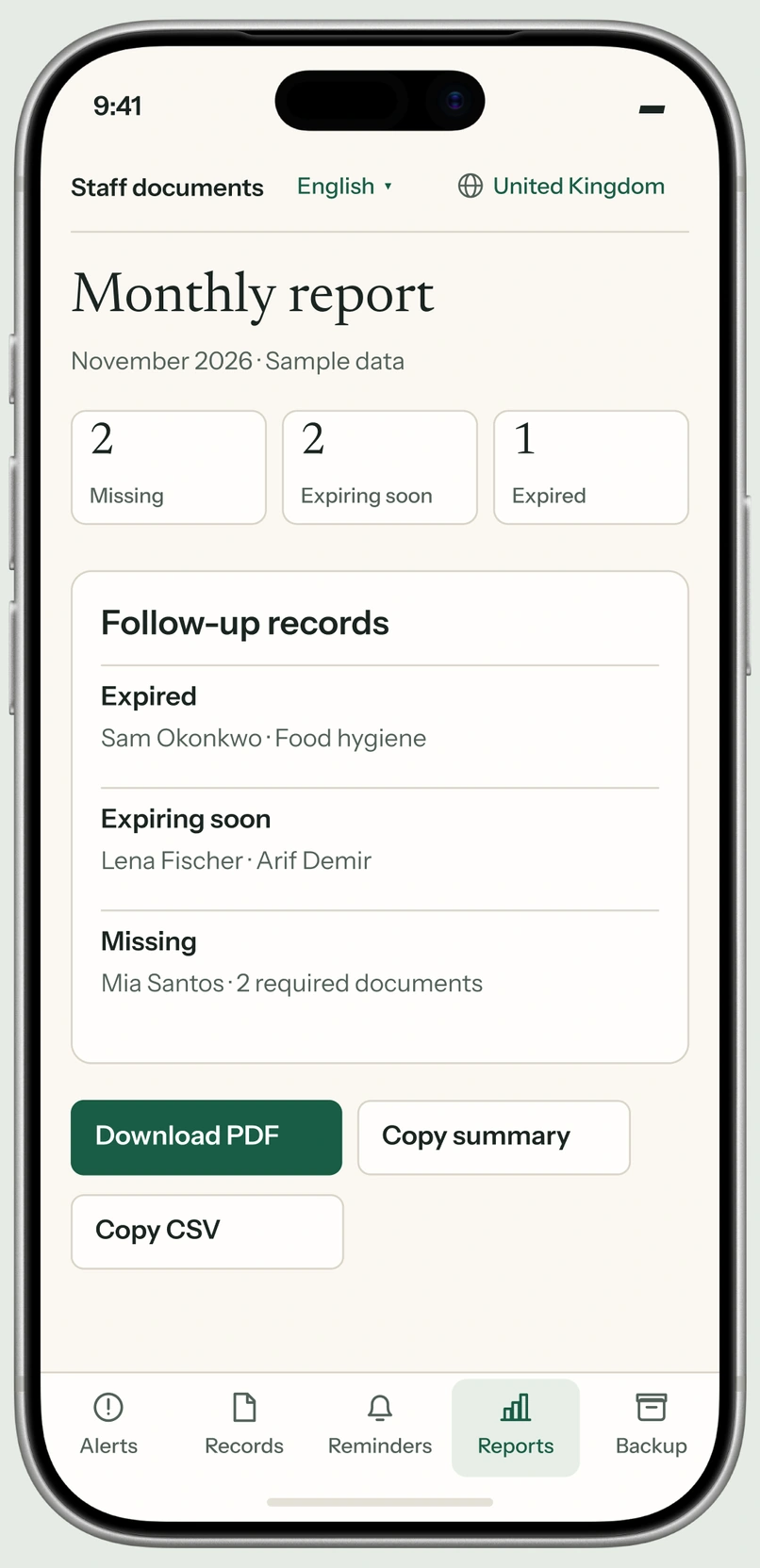
Export a PDF of missing, expired, and soon-to-expire documents. Share it with your team without retyping the board.

November 2026 · Sample data
 Sam Okonkwo
 Lena Fischer
 Arif Demir
 Mia SantosMia Santos
4 people on the board · Sample records only
Tools you will use
Switch the board between eight languages. Choose a region separately for dates and numbers. Optional connectors ask for your approval.
Start in Claude with sample staff. Save a note and file, then close and reopen the board to check both. Calendar and desktop features depend on what your account offers.
Save a sample note and file, then reopen the board and check both.
To install the board as an app, use the latest Claude Desktop app for Mac or Windows. This option is in beta.

If you already use Google Calendar with Claude, you can create reminder events after you click and approve.
The ten steps
Attach the PDF to Claude and follow the prompts in the same conversation. Compare your board, staff record and report with the tablet and iPhone designs.
Before you build anything, make a plain list of the roles in your business and the documents you already ask for. Claude will interview you. It should not invent legal requirements.
Turn that list into a working board, with clearly fake people, so you can try it safely. This should be a custom artifact, not a document or a spreadsheet template.
Adding a person should not mean typing every document by hand. Choose a role, and the required rows should appear.
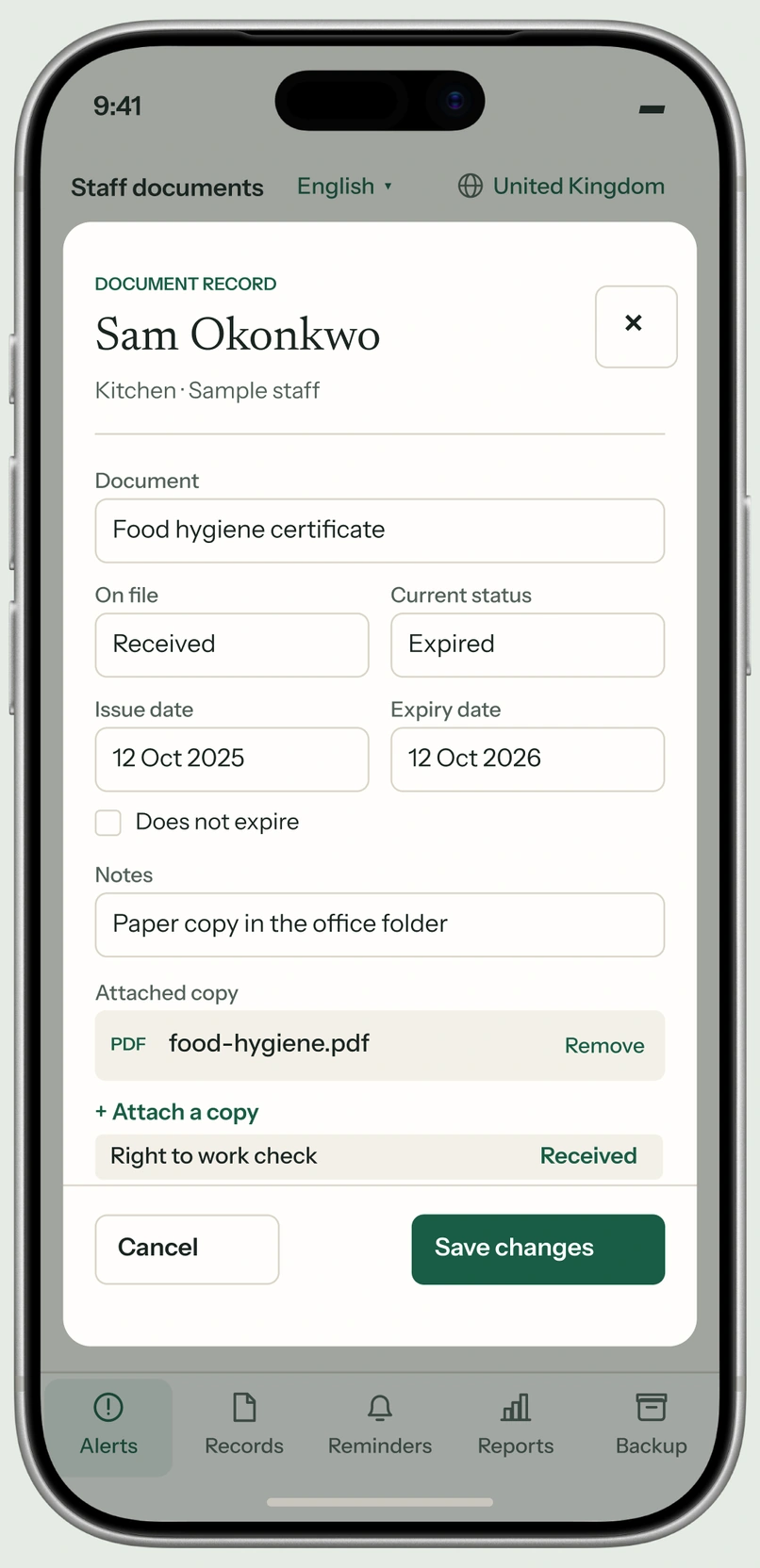
You should be able to mark a document as received, add dates, and let the status update itself. Attach a photo or PDF when you need a copy.
When you open the board, the first thing you see should be what is expired, what is expiring soon, and what is still missing.
The board should tell you, in plain language, what to do next. If you later install it as an app, it may also ask to send a daily notification. The list should still work without that.
Copy the selected month’s report or save it as a PDF where downloads are supported.
If you already use Google Calendar with Claude, you can create reminder events from the board. If you do not, skip this step. The Reminders list from Step 6 is enough.
If you use Claude Desktop on a Mac or a Windows PC, you can install the board so it has its own window and icon. This is optional. The board already works inside Claude.
When the board behaves the way you want, clear the sample people and add your own records carefully. Put a backup in your hands, not only inside Claude.
Open his record, check the
expiry and review the month
on your phone.
Buy on Gumroad · $29
 by Kudret Keskin
Before you start

Start in Claude with sample staff. Save a note and file, then close and reopen the board to check both. Calendar and desktop features depend on what your account offers.

Start with sample data. Staff records are personal data, so check the rules that apply to you, such as GDPR in Europe. The board tracks whether a document is on file and when it expires. It should not hold ID scans or ID numbers.
A board you build yourself can be enough for a long time, especially if one person owns it and exports a backup each month.

Ask Claude to use personal storage, not shared storage, for these records. If you share the artifact, other people may see anything kept in shared storage. Claude will warn you the first time shared storage is used. Read that warning.

Export a spreadsheet backup at the end of each month. If you export the artifact as HTML, the saved entries will not come with it.

More than one person needs to edit the same records, and you cannot say who changed what, or which version is current.

The person who built it leaves, and the board lives in their Claude account. Someone else can be invited, but someone still has to own the artifact, the plan, and the habit of exporting the backup.

The rules change. A new document type appears, or a role is split in two, and nobody is clearly responsible for updating the board. The list quietly goes stale, which is how documents started slipping in the first place.

You need a history you can trust later, not only the status as it stands today.

You want the records to live in a system the business owns, with clear access, even if you are offline, and even if the original Claude conversation is gone.
None of this means the board was a waste of time. Building it is often the best way to see the real work: which roles you actually have, which documents you already ask for, and which questions you need to answer every month.
If you later want a system that does more of this kind of tracking automatically, that is the product I am building at Firmam.ai. It is meant for the day-to-day running of a small business, with more of the follow-up done for you. Turkish and English options are coming soon. It will not decide what you should keep on file, and it is not legal advice.
Staff Document Tracker Pro for Your Business
A tested build sequence, 10 steps, a written fix prompt for each step in the PDF, and a privacy note. Sold and delivered through Gumroad.
Buy on Gumroad · $29PDF guide. You build the app in Claude.Questions
 Do I need to know how to code?
No. You paste prompts written in plain English into Claude, one at a time, and read what appears.
 Which Claude plan do I need?
Use an account with interactive artifacts. Test saving with a sample record. You can follow the core guide with in-app reminders if Google Calendar is unavailable.
 Can I use it as an app on my computer?
Yes. Installation is optional and in beta on Claude Desktop for Mac or Windows.
 Where are the records stored?
Use personal storage in Claude and export a spreadsheet backup each month.
 Is this legal advice?
No. You decide which documents your business needs to keep on file.
Keep going
Where I write about this
X
@kudretocom
x.com/kudretocomLinkedIn
Kudret Keskin
www.linkedin.com/in/kudretkeskinUnstuck SaaS
Newsletter on Substack
unstucksaas.substack.comFirmam.ai
The product I am building
firmam.ai